 Stowaway Tabs
A tab saver that doesn't lose your tabs.
Save a window in one click to free memory, and get everything back later — even after a crash, a restart, or a window you closed by mistake. Everything stays on your computer.
The extension: no account, no analytics, no network requests. Not for sale.
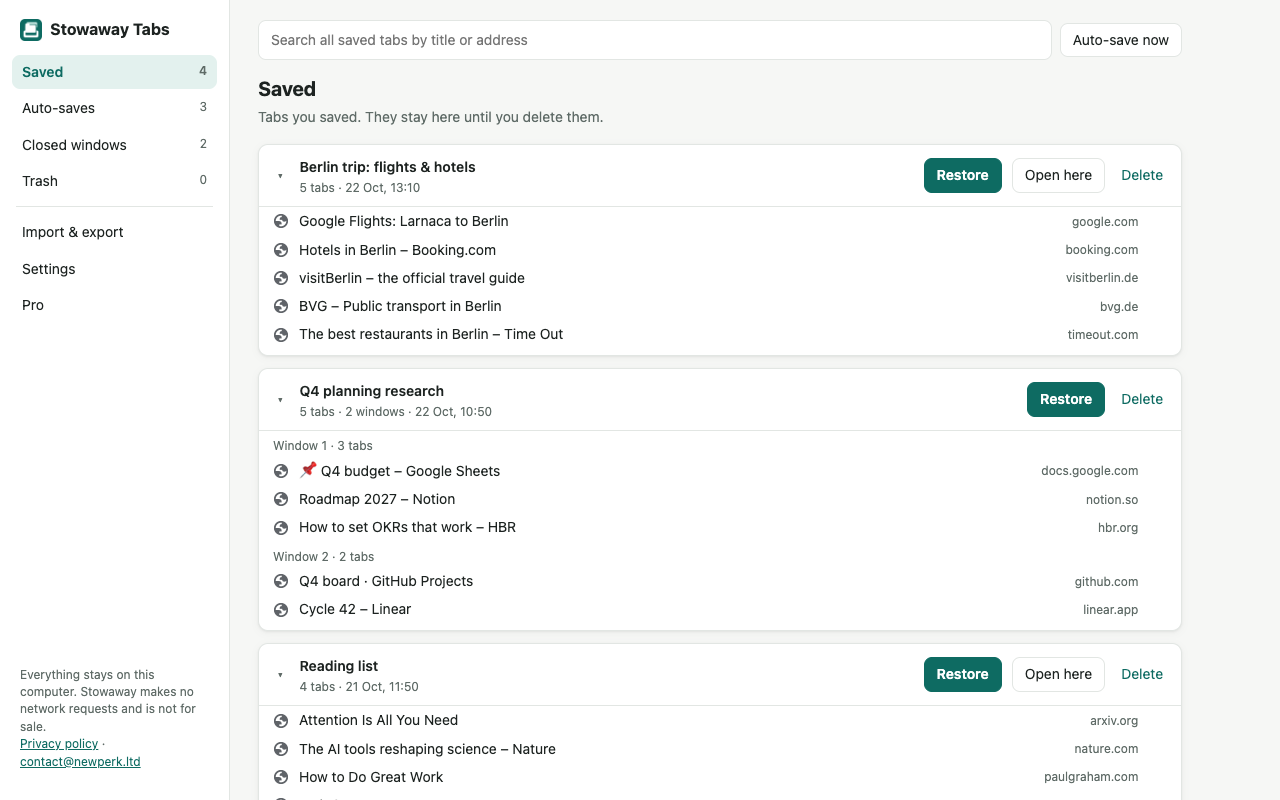
Built so you don't lose tabs
Automatic snapshots
Your open windows are saved every 15 minutes, only when something changed. Older snapshots are thinned out, Time-Machine style.
Closed windows
Every window you close is remembered with all its tabs, so a mis-click never costs you a research session.
Previous session
After a crash or a restart, the last known state of all your windows is kept as a snapshot.
Trash, not oblivion
Deleted collections stay recoverable for 30 days.
Open formats
Export to JSON, to a bookmarks file any browser can import, or to a plain list of links. Your data is never locked in.
Fast saving
Save this window or all windows with one click or Alt+Shift+S. Restore everything, one window or a single tab. Search across all of it.
Switching from another tab manager
Stowaway reads plain lists of links, JSON exports from tab and session managers, and bookmarks files. Imports go to Saved and never overwrite anything you already have. In Stowaway, open Import & export from the side menu.
From OneTab
- Open your OneTab page and choose its export option (“Export / Import URLs”).
- Copy the whole list. Each line looks like
https://… | Page title; blank lines separate your groups. - In Stowaway → Import & export, paste it into the box. Stowaway shows how many collections and tabs it found. Click Import.
Each OneTab group becomes its own collection. Titles are kept.
From Session Buddy
- In Session Buddy, use its export feature and save your collections as a JSON file. If you only have a list of links, that works too.
- In Stowaway → Import & export, choose the file (or paste the text) and click Import.
Collection names and the split between windows are kept when they are in the export.
From Toby and other managers
- Export your lists from the other tool as JSON, HTML bookmarks or plain text.
- Import the file in Stowaway. Lists with titles become collections with the same names.
Something did not import? Send the file format (not your data) to contact@newperk.ltd and we will add support.
Questions
Where is my data stored?
In your browser's extension storage on your computer. We have no server and cannot see your tabs. See the privacy policy.
Does it sync between computers?
Not yet. Today you can export on one computer and import on another. Sync through your own cloud drive may come later; it will never go through our servers.
Is it free?
Yes. Saving, restoring, auto-save, closed-window recovery, search, import and export are free, with no limit on saved tabs. An optional Pro upgrade with automatic backup files and longer history may come later; nothing free today will move behind it.
What happens if I uninstall it?
The browser deletes the extension's data. Export a full backup first (Import & export → Full backup) and you can bring everything back later.
Why “not for sale”?
Popular extensions are regularly bought and turned into adware. Stowaway is made by New Perk Ltd and will not be sold or handed to another owner.